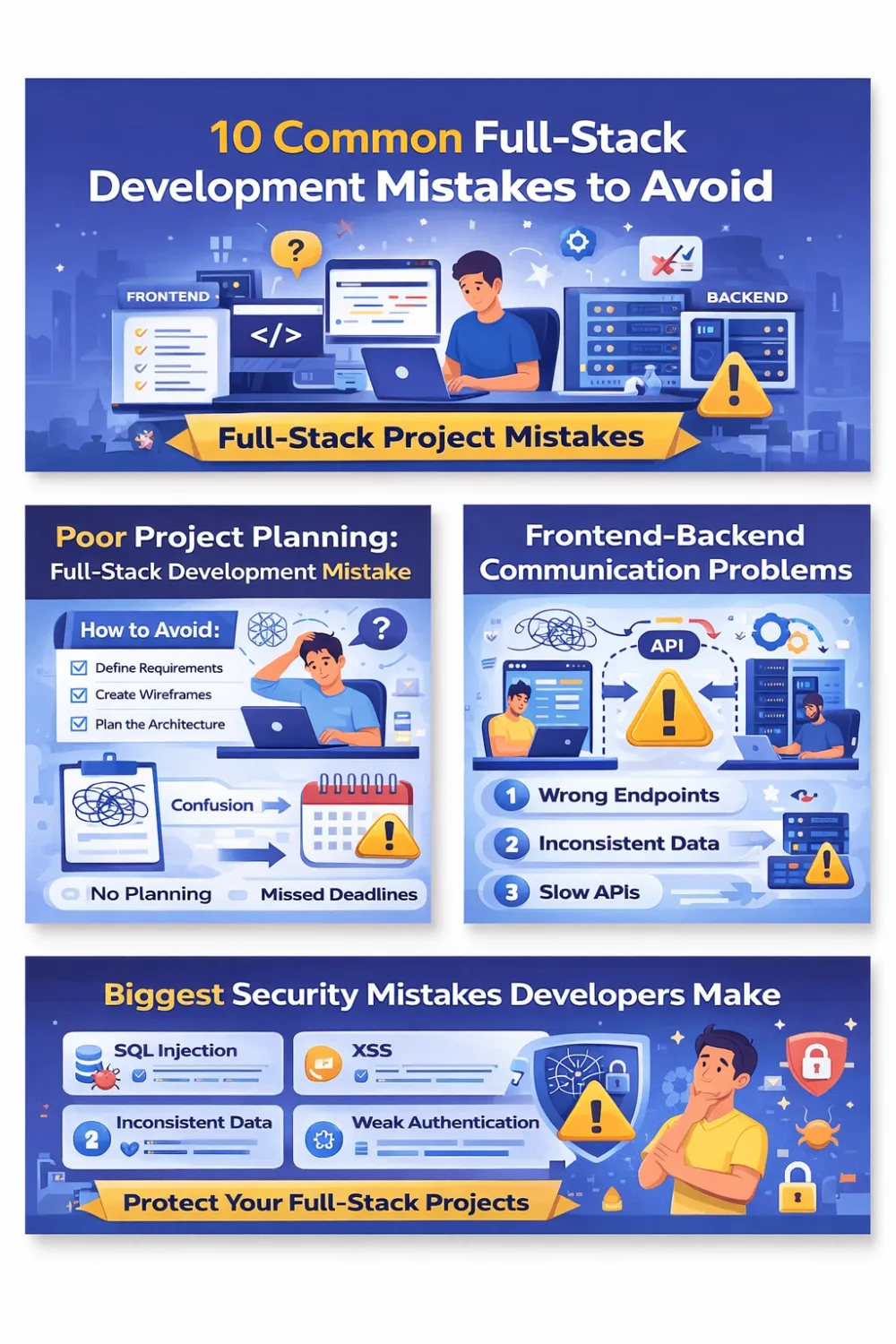
Common Full Stack Project Mistakes and How to Avoid Them

Introduction
Common Full Stack Project Mistakes and How to Avoid Them, Full-stack development is one of the most powerful skills in modern software development. A full-stack developer builds both the frontend (user interface) and the backend (server, database, APIs) of an application.
However, many projects struggle or even fail because developers make common full stack project mistakes during planning, coding, or deployment.
These mistakes can cause:
- Slow websites
- Security vulnerabilities
- Difficult maintenance
- Poor user experience
- Failed product launches
The good news is that most of these problems are avoidable. In this guide, you will learn the biggest frontend and backend mistakes developers make and how to fix them.
Table of Contents
Poor Project Planning
One of the biggest problems in software development is starting too quickly without proper planning.
Many developers jump directly into coding without defining the project requirements.
Problems Caused by Poor Planning
- Confusing architecture
- Changing requirements
- Delayed deadlines
- Extra development cost
How to Avoid This Mistake
Define Clear Requirements
Before writing code, define:
- Application purpose
- Key features
- Target users
- Technology stack
Create Wireframes
Wireframes help visualize the interface before development begins.
Tools you can use:
- Figma
- Adobe XD
- Balsamiq
Plan the Architecture
Decide early:
Frontend framework
Backend language
Database
Hosting environment
Example stack:
Frontend: Angular / React
Backend: Node.js / .NET
Database: PostgreSQL / MongoDB
Good planning reduces future problems significantly.
Poor Communication Between Frontend and Backend
Many full-stack projects fail because the frontend and backend are not properly connected.
Common Issues
- Incorrect API endpoints
- Data format mismatches
- Slow API responses
- Missing error messages
Solutions
Use API Documentation
Tools that help:
- Swagger
- Postman
- OpenAPI
Standardize API Responses
Example structure:
{
  "success": true,
  "data": {},
  "message": ""
}
Version Your APIs
Example:
/api/v1/products
API versioning prevents breaking existing applications.
Bad Database Design
A poorly designed database creates major performance problems.
Common Database Mistakes
- Duplicate data
- No indexing
- Too many queries
- Incorrect relationships
How to Avoid It
Normalize Your Data
Organize tables properly to reduce redundancy.
Add Indexes
Indexes speed up search queries dramatically.
Plan Relationships
Use correct relationships:
One-to-Many
Many-to-Many
Foreign Keys
A well-designed database improves speed and scalability.
Ignoring Security
Security mistakes are among the most dangerous web development errors.
Hackers constantly search for vulnerable applications.
Common Security Problems
- SQL Injection
- Cross-Site Scripting (XSS)
- Weak authentication
- Exposed APIs
Best Security Practices
Validate User Input
Never trust user input.
Always sanitize and validate data.
Implement Authentication
Secure methods include:
- JWT tokens
- OAuth
- Multi-factor authentication
Use HTTPS
Encrypt data between client and server.
Protect APIs
Add:
- Rate limiting
- Authorization checks
- Secure headers
Security should be built into development from the beginning.
Lack of Proper Error Handling
Poor error handling makes applications difficult to use and debug.
Signs of Bad Error Handling
- Blank pages
- Confusing messages
- App crashes
- Silent failures
Solutions
Global Error Handling
Frontend:
- Angular interceptors
- React error boundaries
Backend:
- centralized middleware
Log Errors
Monitoring tools:
- Sentry
- LogRocket
- Datadog
Logs help developers quickly find and fix issues.
Skipping Testing
Testing is often ignored in fast-moving projects.
This leads to unstable applications and unexpected bugs.
Types of Testing
Unit Testing
Tests individual functions.
Integration Testing
Tests system components working together.
End-to-End Testing
Simulates real user behavior.
Useful Testing Tools
Frontend
- Jest
- Cypress
Backend
- Mocha
- NUnit
- xUnit
Testing ensures reliability and reduces production errors.
Performance Problems
Users expect fast applications. Slow websites lead to lost visitors and lower search rankings.
Causes of Slow Applications
- Large images
- Too many API calls
- Unoptimized queries
- Large JavaScript bundles
How to Improve Performance
Optimize Frontend
- Lazy loading
- Code splitting
- Minification
Optimize Backend
- Caching
- Efficient queries
- Background processing
Use CDN
Content Delivery Networks improve loading speed worldwide.
Poor Version Control Practices
Version control is essential in modern development.
Without it, teams struggle with code conflicts and lost work.
Common Git Mistakes
- Direct commits to main branch
- No commit messages
- No code reviews
Best Practices
Use branching strategies:
main
develop
feature branches
Example commit message:
fix: resolve login authentication bug
Always perform code reviews before merging.
Lack of Documentation
Documentation helps developers understand and maintain projects.
Without documentation, onboarding new developers becomes difficult.
Important Documentation Areas
- Project setup
- API endpoints
- Database schema
- Deployment process
Tools for documentation:
- Notion
- Confluence
- GitHub Wiki
Good documentation improves team productivity.
Ignoring Scalability
Some applications work perfectly with a few users but fail under heavy traffic.
Common Scalability Problems
- Server overload
- Slow database queries
- Application crashes
How to Build Scalable Systems
Use Scalable Architecture
Examples include:
Microservices
Containerized applications
Load balancing
Implement Caching
Popular caching tools:
- Redis
- Memcached
Use Cloud Platforms
Reliable platforms:
- AWS
- Azure
- Google Cloud
Scalable systems grow with your user base.
Not Monitoring the Application
Another common full stack development mistake is failing to monitor applications after deployment.
Without monitoring, developers cannot detect issues quickly.
What to Monitor
- Server health
- API response time
- Errors
- Database performance
Tools for monitoring:
- New Relic
- Grafana
- Prometheus
Monitoring ensures long-term stability.
Conclusion
Building a successful web application requires more than writing code. Developers must plan carefully, design strong architecture, ensure security, and optimize performance.
By understanding these common mistakes in full stack web development, teams can avoid delays, reduce bugs, and build reliable applications.
The best developers continuously learn from mistakes and improve their development process. Whether you are a beginner or an experienced engineer, avoiding these full stack project mistakes will help you build better, faster, and more scalable applications.
FAQs – Full-Stack Development Mistakes
What are the most common full stack project mistakes?
The most common full stack project mistakes include poor project planning, weak communication between frontend and backend, bad database design, ignoring security practices, and lack of proper testing. These issues can lead to slow applications, bugs, and maintenance problems.
Why do full-stack applications fail?
Full-stack applications usually fail due to unclear requirements, poor architecture decisions, lack of testing, and scalability issues. Without proper planning and monitoring, small problems can grow into major system failures.
How can developers avoid full stack development mistakes?
Developers can avoid mistakes by planning the system architecture, documenting APIs, using version control, writing automated tests, optimizing database queries, and implementing security best practices from the start.
What is the biggest frontend and backend integration problem?
One of the biggest problems is inconsistent API communication. This includes incorrect endpoints, mismatched data formats, poor error handling, and slow responses between the frontend and backend systems.
Why is database design important in full-stack projects?
Database design is important because it affects performance, scalability, and data accuracy. A poorly structured database can slow down applications and create data duplication or integrity issues.
How important is testing in full-stack development?
Testing is critical in full-stack development. It ensures that both frontend and backend systems work together correctly and helps detect bugs before the application reaches users.
What tools help prevent full stack development errors?
Some popular tools include:
Frontend
• Jest
• Cypress
Backend
• Postman
• Swagger
• NUnit / Mocha
Monitoring
• Sentry
• Datadog
• New Relic
These tools help detect issues early and improve code quality.
How do you improve full-stack application performance?
You can improve performance by optimizing database queries, using caching systems like Redis, minimizing frontend assets, enabling lazy loading, and using a content delivery network (CDN).
Let’s Build Your Next Web Application
Have an idea or facing issues with your current system?
We provide end-to-end full-stack development solutions tailored to your business needs.
👉 Request a Free Project Consultation
or