
Cloud Computing 101: Benefits for Small & Medium Businesses
Introduction
Cloud Computing, Small and medium businesses are always looking for smarter ways to work, save money, and grow faster. Technology has become the backbone of modern companies, but buying expensive servers and maintaining IT infrastructure can be difficult for smaller teams.
This is where cloud computing solutions come in.
Cloud computing allows businesses to store data, run applications, and manage operations over the internet instead of relying on physical computers or servers in the office.
Instead of investing thousands of dollars in hardware, companies can pay for what they use and scale their technology as they grow.
For small and medium businesses (SMBs), this technology can be a game-changer.
Cloud services help businesses:
- Reduce IT costs
- Work remotely
- Improve security
- Increase productivity
- Scale quickly
- Access powerful tools previously available only to large enterprises
This guide will explain everything you need to know about cloud computing and why it is important for modern businesses.

Table of Contents
What is Cloud Computing?
Cloud computing means delivering computing services over the internet. These services include:
- Data storage
- Servers
- Databases
- Networking
- Software
- Analytics
- Artificial intelligence tools
Instead of running programs on a local computer or company server, businesses access these services online.
A simple example of cloud computing is using:
- Online email services
- File storage platforms
- Online accounting software
- Project management tools
When you log in through the internet, your data is stored and processed in remote data centers.
This removes the need for companies to maintain expensive infrastructure.
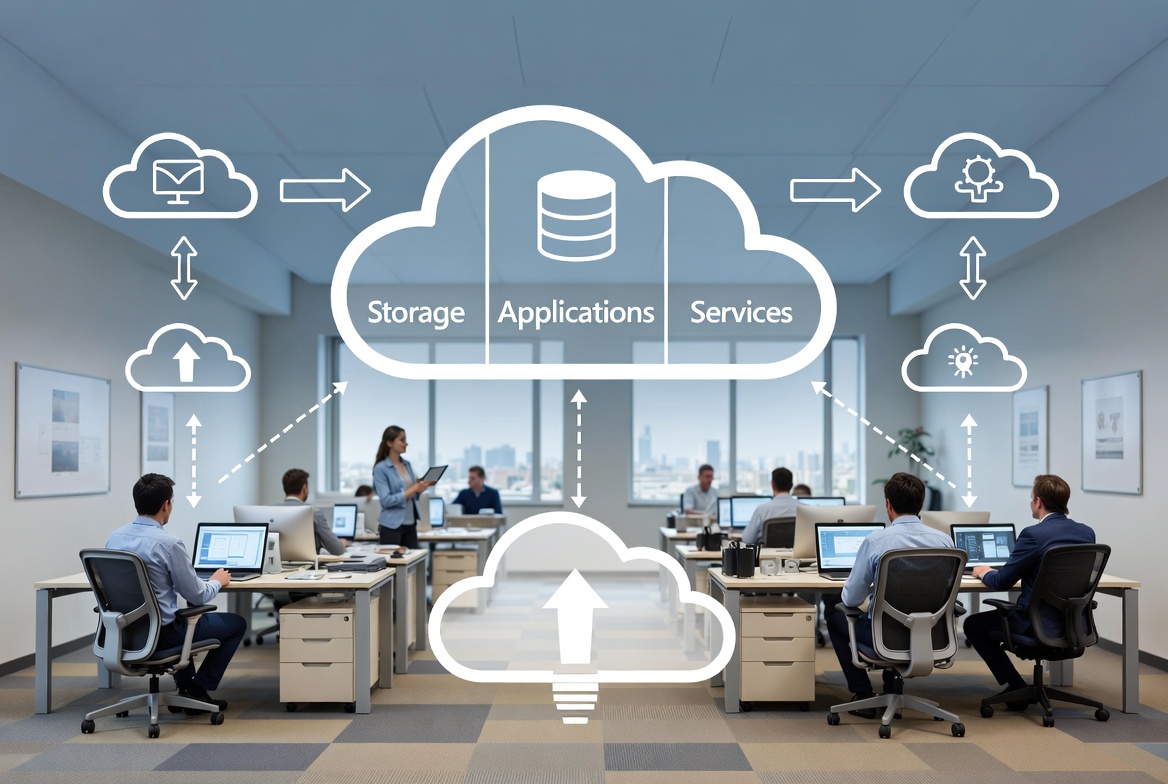
How Cloud Computing Works
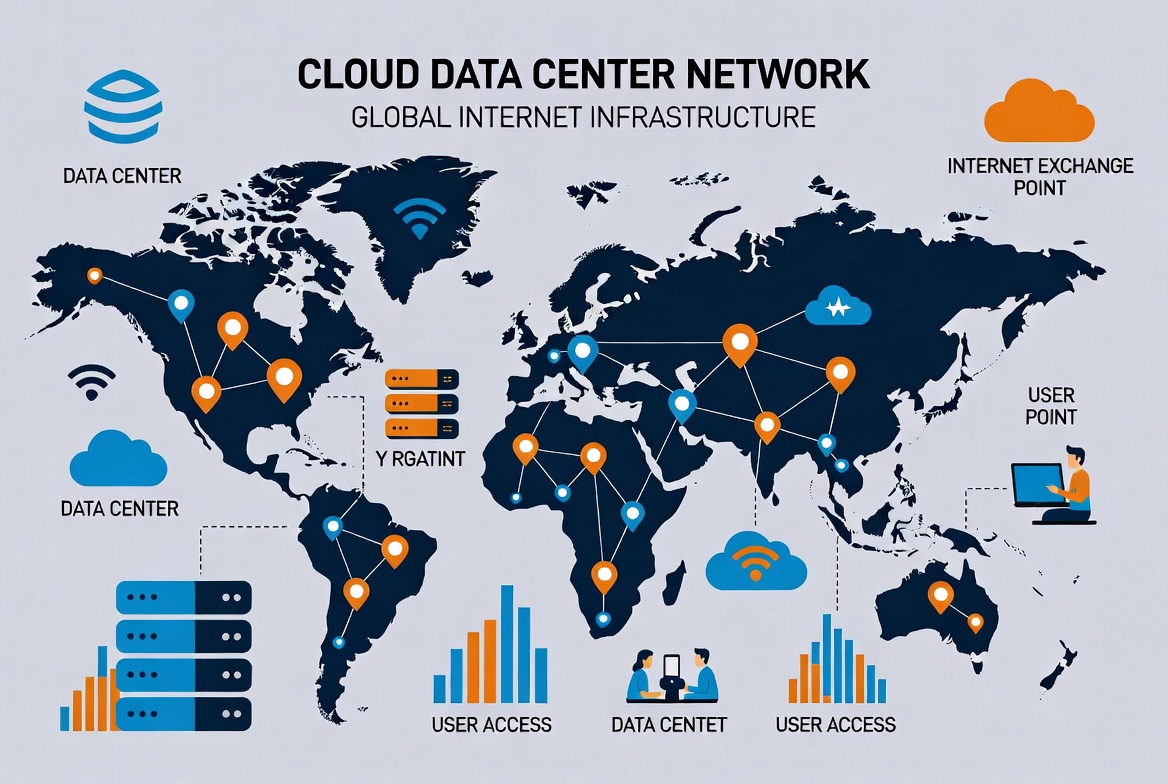
Cloud computing works through a network of remote servers hosted on the internet.
Here is a simple breakdown of how it functions:
1. Data Centers
Cloud providers operate massive data centers around the world. These facilities store hardware, networking systems, and computing resources.
2. Internet Access
Businesses connect to cloud services through the internet using a browser or application.
3. Resource Sharing
Cloud platforms share computing resources among multiple users, which reduces costs.
4. Pay-As-You-Go Pricing
Companies only pay for the resources they use, similar to a utility bill.
Types of Cloud Computing
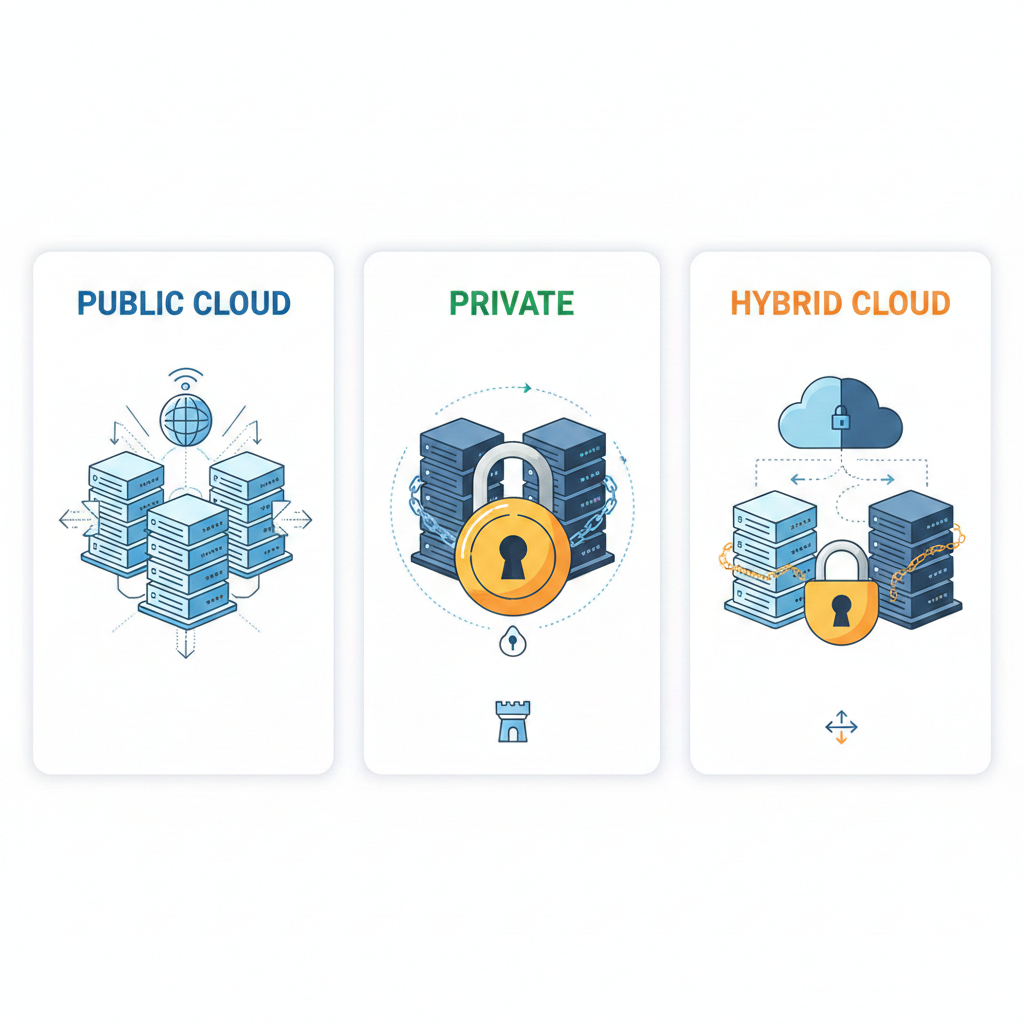
Understanding different cloud models helps businesses choose the right solution.
Public Cloud
The public cloud is the most common cloud model.
Infrastructure is owned and operated by third-party providers and shared across multiple companies.
Benefits include:
- Low cost
- Easy setup
- No maintenance
- Scalability
Example uses:
- Website hosting
- File storage
- SaaS applications
Private Cloud
A private cloud is dedicated to one organization.
It can be hosted internally or by a cloud provider.
Benefits include:
- More control
- Higher security
- Custom infrastructure
This model is often used by companies handling sensitive data.
Hybrid Cloud
A hybrid cloud combines public and private cloud environments.
Businesses can store sensitive information in private systems while using public cloud resources for everyday operations.
Advantages include:
- Flexibility
- Cost efficiency
- Data control
Many SMBs adopt hybrid cloud strategies as they grow.
Types of Cloud Services
Cloud computing is generally divided into three main service categories.
Infrastructure as a Service (IaaS)
IaaS provides basic computing infrastructure such as:
- Virtual servers
- Storage
- Networking
Businesses rent these resources instead of purchasing hardware.
Benefits include:
- Flexibility
- Scalability
- Cost savings
Common use cases:
- Website hosting
- Backup storage
- Development environments
Platform as a Service (PaaS)
PaaS provides platforms for developers to build and deploy applications.
It includes:
- Development frameworks
- Database management
- Operating systems
- Deployment tools
This allows developers to focus on coding rather than managing infrastructure.
Software as a Service (SaaS)
SaaS delivers software applications through the internet.
Users access them through browsers without installing software locally.
Examples include:
- CRM systems
- Accounting software
- Email platforms
- Collaboration tools
This is the most common cloud model used by small businesses.
Why Cloud Computing Matters for SMBs
Small businesses face many challenges such as limited budgets, fewer staff, and growing competition.
Cloud computing solves many of these problems by providing affordable and scalable technology.
With cloud computing solutions, small companies can use the same powerful tools as large enterprises without huge investments.
Major Benefits of Cloud Computing for Small & Medium Businesses
1. Lower Costs
One of the biggest advantages of cloud computing is cost reduction.
Traditional IT systems require:
- Servers
- Maintenance
- Hardware upgrades
- IT staff
- Electricity
- Cooling systems
Cloud services remove these expenses.
Businesses pay only for what they use.
This helps startups and small companies operate efficiently.
2. Easy Scalability
Businesses grow, and technology needs change.
Cloud computing allows companies to scale resources instantly.
For example:
- Increase storage
- Add users
- Upgrade computing power
- Expand applications
This flexibility helps businesses handle growth without infrastructure challenges.
3. Remote Work Enablement
Cloud technology enables employees to work from anywhere.
All they need is:
- Internet connection
- Secure login
- Device access
Benefits include:
- Remote teams
- Global collaboration
- Flexible work environments
This has become essential for modern businesses.
4. Improved Data Security
Many small businesses worry about data security.
However, leading cloud providers invest heavily in security infrastructure.
Security features often include:
- Data encryption
- Multi-factor authentication
- Backup systems
- Disaster recovery
- Continuous monitoring
In many cases, cloud environments are safer than local systems.
5. Automatic Updates
Traditional software requires manual updates and patches.
Cloud software updates automatically.
Benefits include:
- Latest features
- Security patches
- Reduced downtime
- Less IT workload
This keeps systems modern and secure.
6. Better Collaboration
Cloud tools allow teams to collaborate in real time.
Employees can:
- Share documents
- Edit files simultaneously
- Communicate instantly
- Track project progress
This improves productivity and teamwork.
7. Disaster Recovery
Unexpected events can damage business operations.
Examples include:
- Power outages
- Cyber attacks
- Hardware failures
- Natural disasters
Cloud platforms automatically back up data and enable quick recovery.
This ensures business continuity.

Key Cloud Computing Solutions for SMBs
Small businesses can use many cloud services to improve operations.
Cloud Storage
Cloud storage allows companies to store files securely online.
Benefits include:
- Access from anywhere
- Automatic backup
- Easy sharing
- Reduced hardware needs
Cloud Hosting
Businesses can host websites and applications on cloud platforms.
Advantages include:
- High uptime
- Fast performance
- Scalable traffic handling
- Lower maintenance
Cloud Accounting
Accounting platforms in the cloud simplify financial management.
Features include:
- Real-time financial tracking
- Automated reports
- Tax management
- Expense tracking
Customer Relationship Management (CRM)
Cloud CRM systems help businesses manage customer data and sales pipelines.
Benefits include:
- Better customer insights
- Automated sales workflows
- Marketing integration
- Customer support tools
How Cloud Computing Increases Business Productivity
Cloud tools streamline business processes.
Employees spend less time dealing with technical problems and more time focusing on their work.
Examples of productivity improvements:
- Faster communication
- Shared workspaces
- Instant data access
- Integrated applications
This allows companies to achieve more with smaller teams.
Cloud Computing and Digital Transformation
Digital transformation is the process of using technology to improve business operations.
Cloud computing is the foundation of this transformation.
It enables businesses to adopt:
- Artificial intelligence
- Big data analytics
- Automation
- Internet of Things
- Remote collaboration
Without cloud infrastructure, implementing these technologies would be expensive and complex.
Challenges of Cloud Adoption
Although cloud computing offers many benefits, businesses should also understand potential challenges.
Data Privacy
Some industries require strict compliance with regulations.
Businesses must ensure their cloud providers follow appropriate data protection standards.
Internet Dependency
Cloud systems rely on internet connectivity.
If the internet connection fails, access to services may be disrupted.
However, many providers offer offline solutions and redundancy.
Migration Complexity
Moving existing systems to the cloud can require planning and technical expertise.
Companies often need professional assistance during migration.
Steps to Move Your Business to the Cloud
1. Evaluate Business Needs
Identify which systems should move to the cloud.
Examples include:
- Storage
- Applications
- Databases
2. Choose the Right Cloud Model
Decide between:
- Public cloud
- Private cloud
- Hybrid cloud
Based on security, budget, and scalability needs.
3. Select a Cloud Provider
Consider factors such as:
- Security
- Reliability
- Pricing
- Support
- Integration options
4. Plan Data Migration
Develop a clear plan for transferring data and applications.
This reduces downtime and operational disruptions.
5. Train Employees
Employees must understand how to use cloud systems effectively.
Training ensures smooth adoption.
Industries Benefiting from Cloud Computing
Many industries are rapidly adopting cloud technologies.
Retail
Retail businesses use cloud platforms for:
- Inventory management
- Online stores
- Customer analytics
Healthcare
Healthcare organizations use cloud solutions for:
- Patient records
- Telemedicine
- Secure data storage
Finance
Financial institutions rely on cloud systems for:
- Secure transactions
- Fraud detection
- Data analysis
Education
Educational institutions use cloud platforms for:
- Online learning
- Collaboration tools
- Digital classrooms
The Future of Cloud Computing
Cloud computing continues to evolve rapidly.
Key trends shaping the future include:
Artificial Intelligence Integration
Cloud platforms increasingly include AI tools for automation and analytics.
Edge Computing
Data processing closer to devices reduces latency and improves performance.
Multi-Cloud Strategies
Businesses use multiple cloud providers to increase flexibility and reduce risks.
Serverless Computing
Developers run applications without managing servers.
These innovations will continue to empower businesses worldwide.
Why SMBs Should Invest in Cloud Today
Companies that adopt cloud technologies early gain significant advantages.
These include:
- Faster innovation
- Lower operational costs
- Better customer experiences
- Competitive advantage
- Global scalability
Delaying cloud adoption can limit business growth.
Modern markets demand flexibility and speed.
Cloud computing provides both.
Practical Examples of Cloud Success for SMBs
Example 1: Small E-Commerce Store
A small online store moved its infrastructure to the cloud.
Results:
- 40% lower IT costs
- Faster website performance
- Ability to handle seasonal traffic spikes
Example 2: Marketing Agency
A marketing agency adopted cloud collaboration tools.
Results:
- Remote team productivity increased
- Faster client communication
- Improved project tracking
Example 3: Startup Software Company
A startup used cloud development platforms.
Benefits:
- Rapid application development
- Reduced infrastructure costs
- Easy scaling during user growth
Tips for Choosing the Best Cloud Computing Solutions
When selecting cloud services, businesses should consider:
Security Certifications
Look for providers with strong compliance standards.
Scalability
Ensure services can grow with your company.
Pricing Transparency
Understand all costs before committing.
Customer Support
Reliable technical support is essential.
Integration Options
Cloud services should integrate easily with existing tools.
Best Practices for Cloud Security
Businesses should follow these practices to maximize cloud security:
- Use strong passwords
- Enable multi-factor authentication
- Regularly update permissions
- Encrypt sensitive data
- Monitor account activity
- Train employees on cybersecurity
Security is a shared responsibility between providers and businesses.
Conclusion
Cloud computing has transformed the way businesses operate.
For small and medium businesses, it offers powerful tools that were once only available to large corporations.
By adopting cloud computing solutions, companies can:
- Reduce costs
- Improve flexibility
- Enhance collaboration
- Protect data
- Scale operations easily
As digital transformation continues, cloud technology will become even more important for business success.
Organizations that embrace the cloud today will be better prepared for the challenges and opportunities of tomorrow.
FAQs: Cloud Computing for SMBs
1. What is cloud computing for small businesses?
Answer: Cloud computing for small businesses means using internet-based services to store data, run applications, and manage operations instead of relying on local servers. It allows SMBs to access enterprise-level tools without heavy upfront costs.
2. What are the main benefits of cloud computing for SMBs?
Answer: The key benefits include lower IT costs, easy scalability, improved data security, remote work enablement, better collaboration, automatic updates, and disaster recovery. These advantages help small and medium businesses operate efficiently and grow faster.
3. What types of cloud computing services are available?
Answer: There are three main types:
- IaaS (Infrastructure as a Service): Virtual servers, storage, and networking
- PaaS (Platform as a Service): Development platforms and deployment tools
- SaaS (Software as a Service): Cloud-based applications like CRM, accounting software, and collaboration tools
4. What is the difference between public, private, and hybrid clouds?
Answer:
- Public Cloud: Shared infrastructure, low cost, easy setup
- Private Cloud: Dedicated infrastructure, higher security, more control
- Hybrid Cloud: Combines public and private clouds for flexibility and data control
5. How can cloud computing reduce costs for SMBs?
Answer: Cloud services eliminate the need for expensive hardware, IT staff, electricity, and maintenance. Businesses only pay for what they use, helping startups and small companies save money.
6. Can cloud computing help small businesses work remotely?
Answer: Yes. Cloud computing allows employees to access files, applications, and collaboration tools from anywhere with an internet connection, enabling remote work and global teamwork.
7. Is cloud computing secure for small businesses?
Answer: Leading cloud providers invest heavily in security, including data encryption, multi-factor authentication, backup systems, and continuous monitoring. In many cases, cloud environments are safer than traditional local systems.
8. What are common challenges when moving to the cloud?
Answer: Challenges include data privacy compliance, internet dependency, and migration complexity. SMBs often need planning and professional assistance to ensure smooth cloud adoption.
9. Which industries benefit the most from cloud computing?
Answer: Industries like retail, healthcare, finance, and education benefit from cloud computing by improving operations, enabling remote services, and managing large volumes of data efficiently.
10. How do I choose the best cloud computing solution for my business?
Answer: Consider security certifications, scalability, pricing transparency, reliable customer support, and integration options. Evaluate your business needs and choose a cloud model that aligns with your budget, data sensitivity, and growth plans.